
Open a changed file
Select a Different result, then click View side by side. You can also double-click a detail row or press Enter on it to go straight to that change.
The baseline is on the left and the new output is on the right. The two panes stay synchronized as you review. The viewer is for inspection; it does not edit your workbooks.
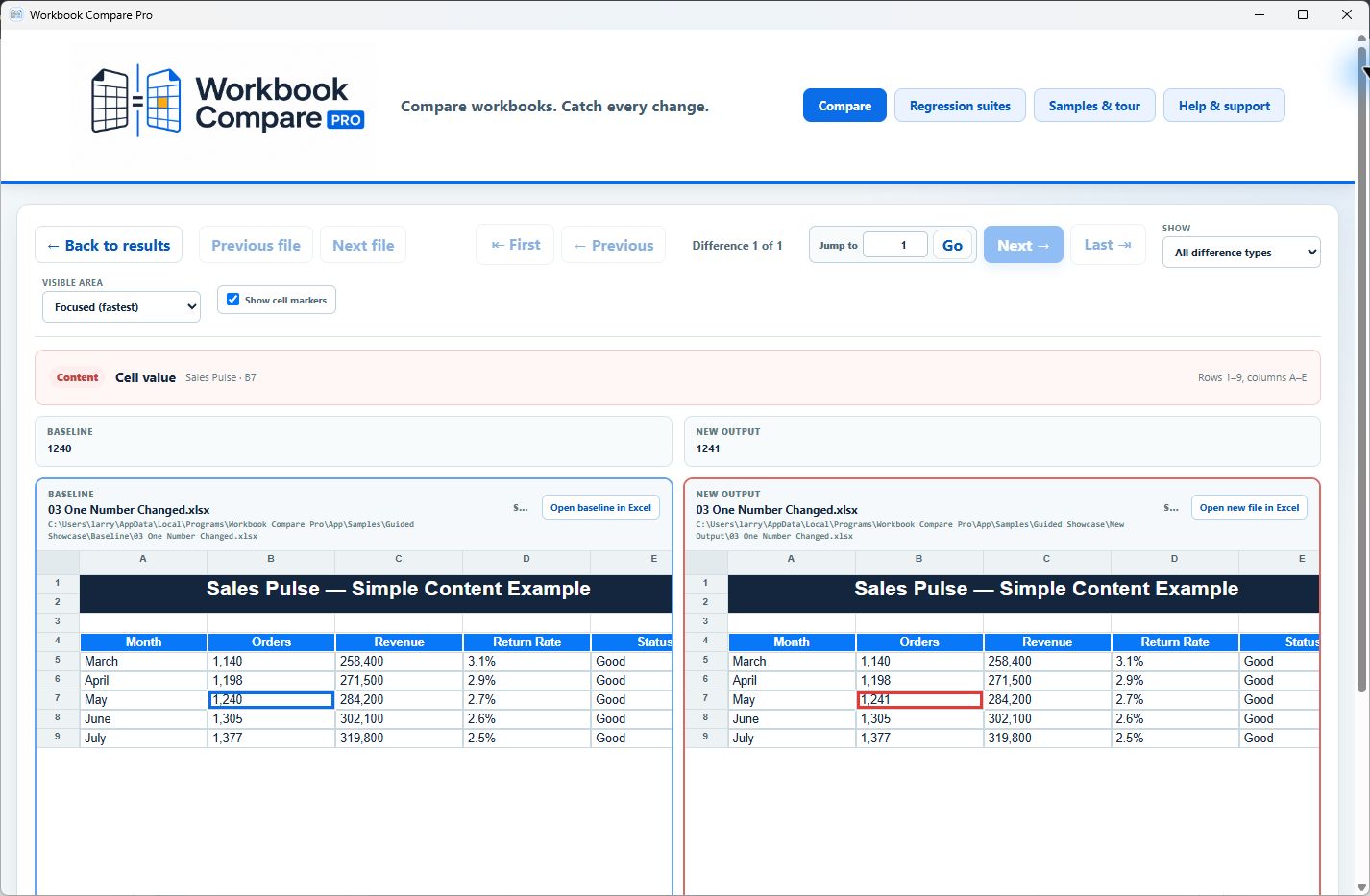
Adjust what is visible
Visible area offers Focused (fastest), More context, and Large context. Start with Focused. Increase it when nearby labels or totals will help explain the change. This setting only changes the amount of sheet context drawn.
Show cell markers adds markers to help locate changes. Turn it off briefly when you want to inspect a subtle border or fill without the marker getting in the way.
The viewer is not a full Excel renderer. For an exact look at the workbook in your spreadsheet application, use Open baseline in Excel or Open new file in Excel. These open safely named, read-only inspection copies through Windows’ associated spreadsheet application, leaving the original files alone.
If an action is unavailable
A Same result has no difference to navigate to. Missing files and errors need to be resolved first. CSV and TSV values can be reviewed side by side, but sufficiently large delimited inputs may omit that view to avoid loading another full copy. The counts, retained details, and CSV export remain useful.
The viewer cannot navigate beyond the first 5,000 individual records retained per file. See Set speed and result limits if the count is larger than the available details.
Still have a question?
Tell us what you are trying to check and where you got stuck. Contact us.